What's New in Claude for Family Historians: January–June 2026
Summary of the key updates to Claude AI by Anthropic for family historians, included memories, visual skills, and Claude Cowork.

Claude changed a lot in the first half of 2026, and most of it helps the exact work family historians do. This is a plain-language roundup of what actually shipped, what it lets you do with your research, and what to ignore. No jargon. If you use Claude to organize records or write your family stories, here is what is worth knowing.
For a full walkthrough of how to use Claude for this work, start with Claude for Genealogy.
The everyday model got much smarter
The biggest news for most people is quiet. Through the first half of the year Claude's core models were upgraded several times, and at the end of June the newest everyday model, Claude Sonnet 5, became the default for free and paid accounts alike. In plain terms, the free version of Claude got meaningfully better at reasoning, reading long documents, and writing.
If you tried Claude a year ago and found it lacking, it is worth another look. The floor moved up.
Claude reads photographed documents better
In April, Claude's most capable models gained higher-resolution image reading. That matters directly for family history. When you photograph a deed, a will, or a page of old handwriting and hand it to Claude, it now sees more detail and makes fewer mistakes.
Claude still is not perfect at old script, and you still check its reading against the original. But as a first pass on a hard-to-read page, it saves real time. This is one of the tools we cover in How AI Can Help Organize Genealogy Research.
Memory is now free
Back in 2025, memory, which lets Claude remember details from your past conversations, was turned on for the first time. This year it improved considerably and you can view and edit the memories easily.
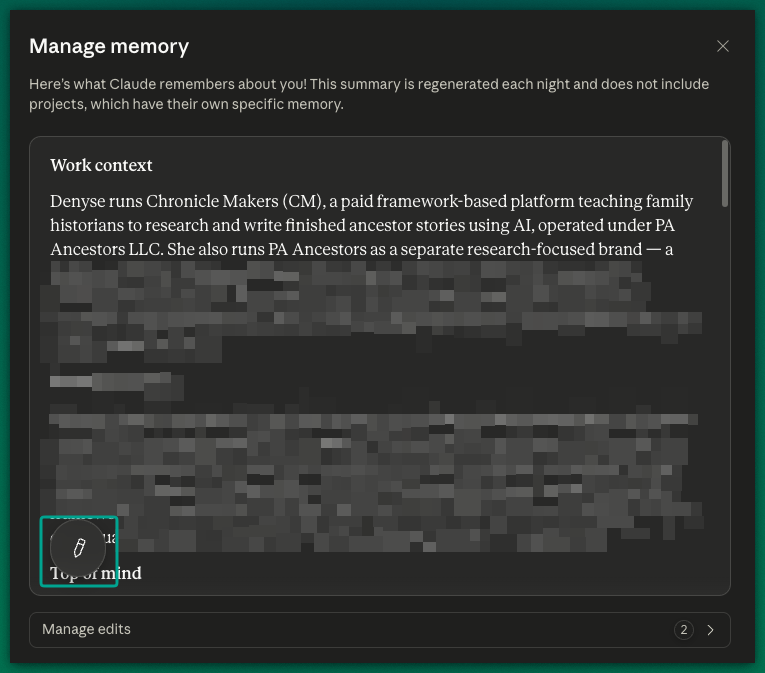
For a long project like a family chronicle, this is a gift. You no longer re-explain who your great-grandfather was every time you open a new chat. Claude carries your project forward. It also means you should know what it stores, which we cover in AI Privacy for Family Historians.
Editing your drafts got easier
In June, Claude added the ability to edit a draft in place. When Claude writes a chapter or a summary, it opens beside your chat. You highlight the part you want changed and type the change, and Claude revises it right there.
If you write long-form family stories, this removes the friction of describing which paragraph you meant. You point, you tell it, it fixes. This is the drafting loop behind the STORI Method.
Claude can now work on your computer
Claude Cowork, the desktop version that works directly with the files on your computer, became fully available on Mac and Windows in April. Instead of copying and pasting into a chat box, you point Claude at a folder of research and it works with the files themselves.
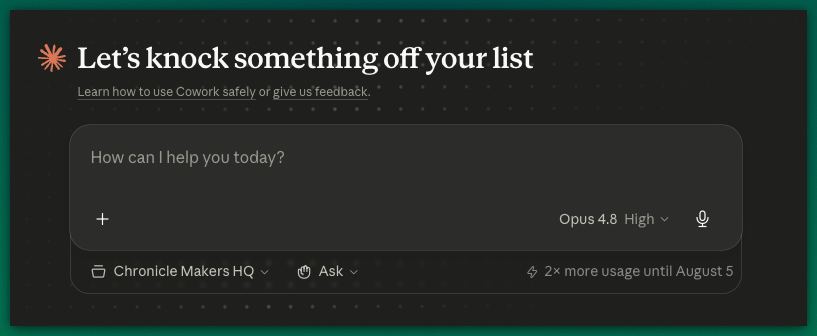
This is powerful, and it is also the deep end. Inside the Chronicle Makers Community many of us are using Cowork every day to write and research. Using Cowork is a huge lead forward and its such a big leap that most people don't believe what we are doing with it is possible. If you are new to AI, start in the browser, get comfortable, and grow into the desktop when you are ready. If you've been in "chatbot mode" for years now, it's time to upgrade to Cowork and use the full power of AI.
What to skip for now
Claude released a new top-tier model class in June aimed at the most demanding technical work. You do not need it for family history. The everyday model does everything a chronicle requires. Chasing the most powerful model available is rarely the right move for this work, which is the whole point of judging tools by fit rather than headline. We explain how we make that call in The 4R Model Test.
The bottom line
In six months, Claude got a smarter base model, upgraded memory, sharper reading of photographed documents, and easier editing. Every one of those helps you move research toward a finished story. The tools improved. The story is still yours to write.
If you want to put these tools to work and actually finish a family chronicle, that is what the 10-Day Chronicle Writing Sprint is for.